Description
POLYRING 11 – a polyrhythmic ring sequencer (Max for Live)
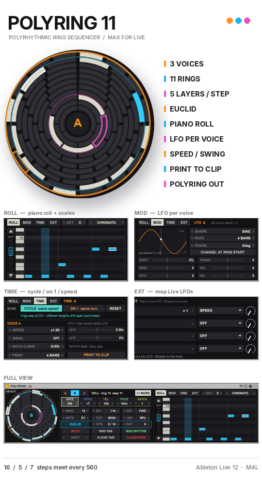
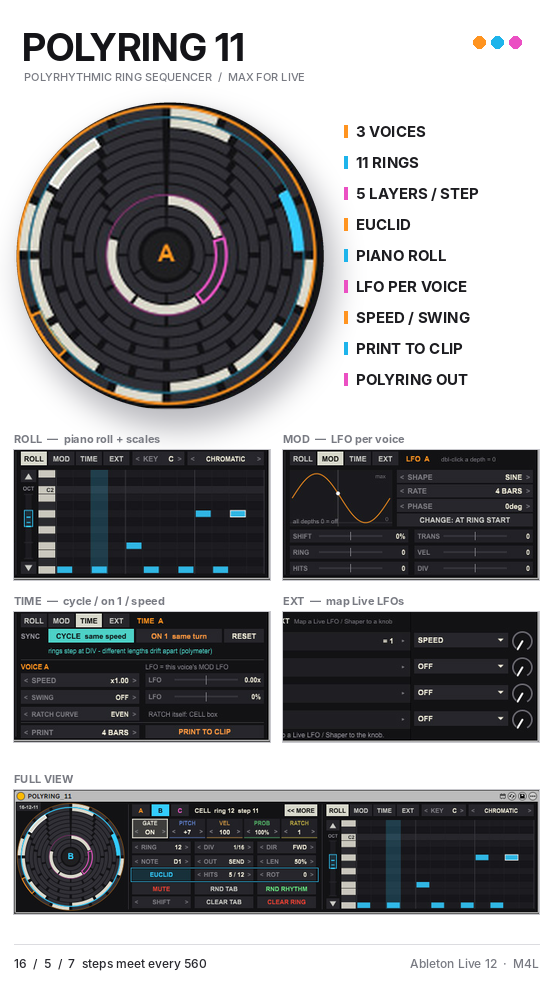
Three voices, eleven rings, and rhythms that never quite repeat. POLYRING 11 is a MIDI sequencer built from concentric rings of 3 to 16 steps. Each of its three voices plays a ring at its own speed and direction, so rings of different lengths slowly drift against each other and line up again: a 16-step kick, a 5-step hat and a 7-step melody only meet every 560 steps. Polyrhythms and polymeters appear on their own, locked to your Live tempo.

Features
- 3 voices (A / B / C), 11 rings
- Rings from 3 to 16 steps, in two ring sets (16-12-11 / 16-14-12)
- SHIFT + click a ring to give it to the selected voice
- The pattern lives in the ring: two voices on the same ring share it, and can play it at different speeds or in different directions
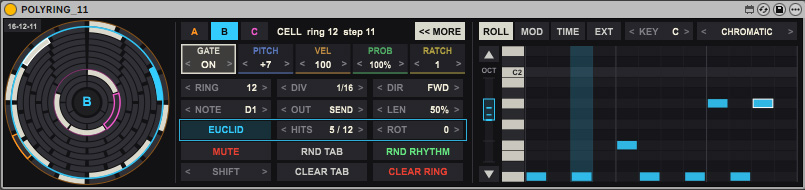
- Five layers per step
- GATE: on / off
- PITCH: up or down from the voice’s note, snapped to the scale
- VEL: velocity 1-127
- PROB: chance to play, 0-100%
- RATCH: 1 to 8 repeats inside the step
- Euclidean rhythms
- HITS spreads notes evenly around the ring
- ROT turns the pattern around the ring
- SHIFT moves the whole ring pattern, RND TAB / RND RHYTHM for quick ideas, CLEAR TAB / CLEAR RING to start again
- Voice settings
- DIV: 1/32 to 1/1, including dotted values
- DIR: forward, reverse, ping-pong or random
- NOTE, LEN (note length) and MUTE for each voice
- Piano roll (ROLL)
- Click to place a note, drag to change its pitch, double-click to delete it
- KEY and SCALE: chromatic, major, minor, dorian, phrygian, lydian, mixolydian, harmonic minor, major / minor pentatonic, whole tone
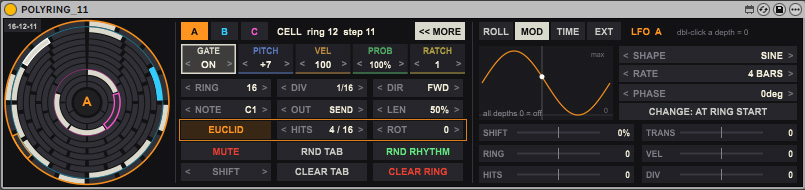
- An LFO for every voice (MOD)
- 6 shapes: sine, triangle, saw up, saw down, square, sample & hold
- Rate from 1/4 bar to 16 bars, with phase
- Destinations: SHIFT (rotate the ring), RING (switch rings), HITS, TRANS (pitch), VEL, DIV
- CHANGE: every step, or once per turn of the ring so patterns stay intact
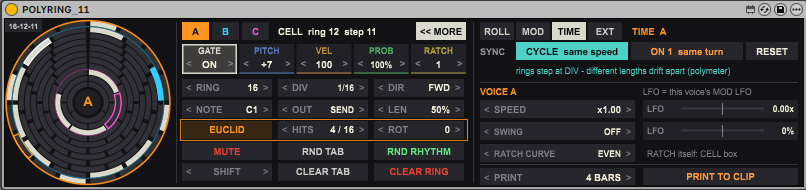
- Time (TIME)
- CYCLE: every ring steps at its own DIV and drifts (polymeter)
- ON 1: every ring makes exactly one turn per bar (polyrhythm)
- RESET: lines all rings up again on the next bar
- SPEED x0.50 to x3.00 per voice. Back at x1.00 it locks to the beat again
- SWING per voice, and RATCH CURVE for even or accelerating ratchets
- SPEED and SWING can also follow the voice’s LFO
- PRINT TO CLIP
- Write 1 to 32 bars of what POLYRING plays into new MIDI clips
- Voices sent to other tracks are printed on those tracks
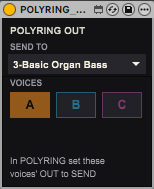
- POLYRING OUT (included)
- Play each voice on its own instrument track
- Uses Live’s own MIDI routing, so every note stays exactly in time
- Pick the target track from a menu. Its monitor is set to In automatically
- Use one POLYRING OUT per track; send one voice to several tracks if you like
- Works with any instrument, including External Instrument for hardware synths
- EXT: control from Live’s LFOs
- Four knobs you can Map from Live’s LFO, Shaper or any modulator
- Each knob drives the parameter you choose, on the voice you choose
- Full Live automation of the main settings for every voice
- Live ring display: playing steps light up in each voice’s colour
How to use
- Put POLYRING 11 on a MIDI track, in front of an instrument.
- Choose voice A, B or C and give it a ring with SHIFT + click.
- Click cells to place notes, or raise HITS for a Euclidean rhythm.
- Press play in Live, then shape the result with DIV, DIR, the piano roll, the LFO and SPEED.
- To play voices on other tracks, add POLYRING OUT after the instrument, choose a track in SEND TO, switch on the voices, and set their OUT to SEND.
- Press PRINT TO CLIP to turn the result into MIDI clips.
Included
- POLYRING 11 (MIDI Effect)
- POLYRING OUT (Audio Effect)
- User guide (English / Japanese)
Requirements
- Ableton Live 12 Suite (or Standard + Max for Live)
- POLYRING OUT needs Live 11 or later
Demo
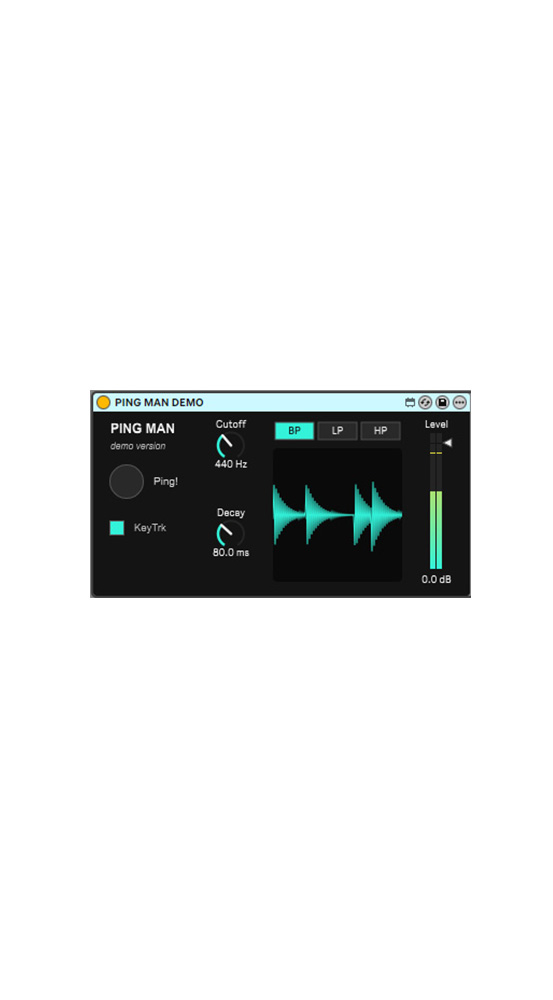
- A free demo is available: voices A and B, the ring editor and the piano roll. Patterns are not saved in the demo.
DEMO Download